FRAMEWORKS

Start with structure.
Make it yours.

Deploy active, governed frameworks into the Intellilox applications your teams already use. Give the form its customer-facing name, then refine the fields, evidence, routing, and language for your operation.

Governed starting points

Do not make every team invent the workflow. Give them a trusted baseline, then let the operation localise the detail.
Active catalogPlatform staff publish validated framework versions to the licensed customer catalog.
Destination-readyDeploy a framework into Incident Management, Compliance Monitor, Risk Register, ITSM, Sales Pipeline, or another supported app.
Local controlRename and refine the customer-owned copy without changing the platform catalog or historical records.

Make a framework operational.

Frameworks turns reusable structure into licensed product value. Platform staff manage the governed catalog; authorized organization users deploy compatible active versions into their licensed applications.

The destination Application Administrator then uses the normal shared Form Designer to refine the deployed copy. The result is a consistent baseline with room for the organization's terminology, roles, evidence requirements, and operating context.

01 · CATALOG

Publish trusted structure

Maintain active, versioned framework packages with supported destination apps, release notes, provenance, and validation.

02 · DEPLOY

Put structure where work happens

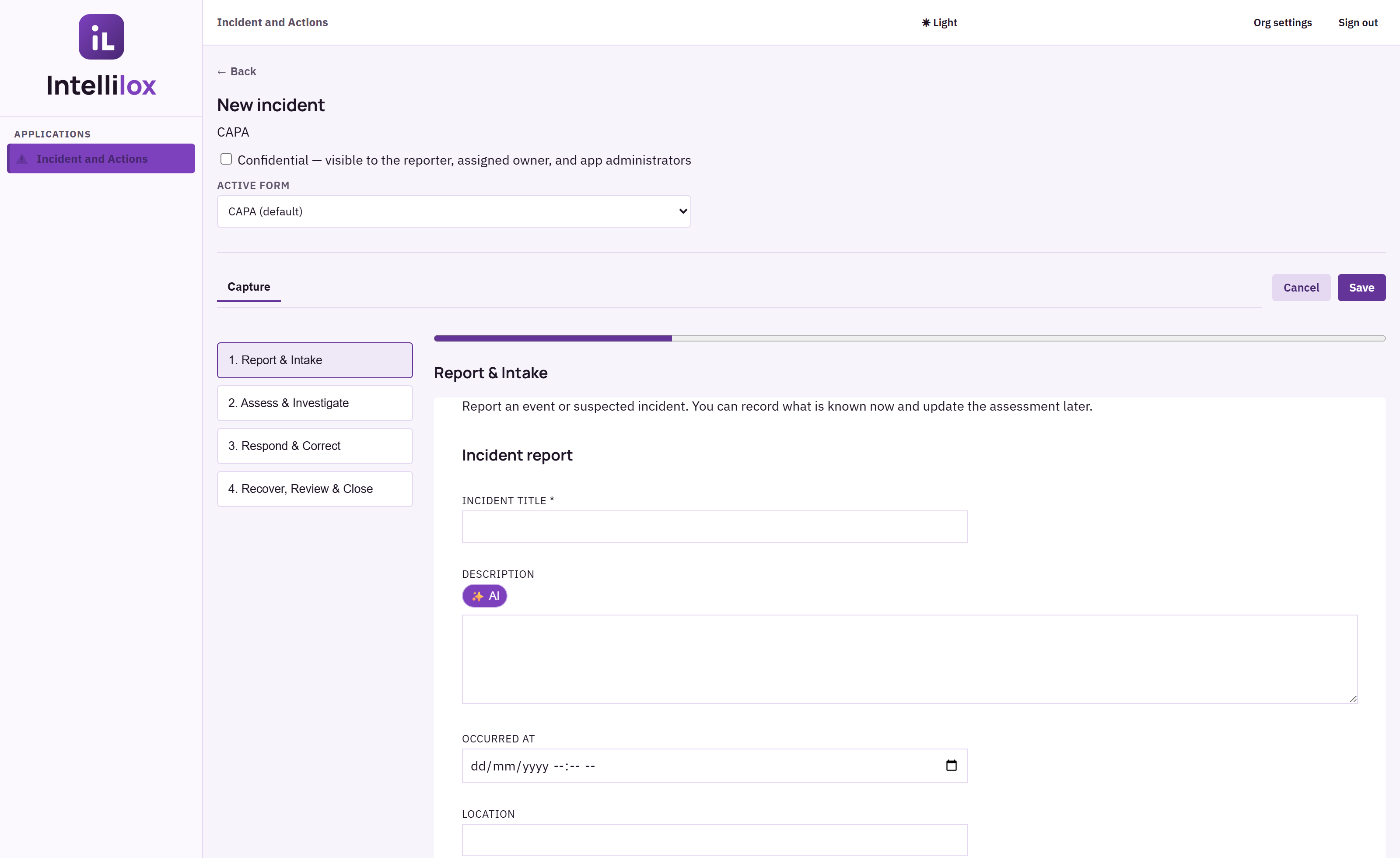
Select a compatible licensed app, rename the form for the organization, and create an independent deployment copy.

03 · REFINE

Adapt without losing governance

Adjust labels, required fields, conditions, attachments, guidance, routing, and local terminology in the destination app.

FROM CATALOG TO OPERATING RECORD

Deploy once.
Improve every cycle.

Frameworks keeps the baseline governed while making customer refinement explicit, auditable, and safe for historical records.

Publish

Platform staff import, validate, preview, version, activate, and retire catalog entries.

Deploy

Organization users select an active framework, choose the destination app, and name the deployed form.

Refine

Destination app administrators adapt the customer-owned copy with the shared Form Designer.

Operate

Capture records, create actions, preserve provenance, and use dashboards to improve the next version.

BUILT FOR PLATFORM GOVERNANCE

Consistency for the catalog.
Context for the customer.

Frameworks makes your reusable operating knowledge discoverable and deployable without forcing every customer into an identical implementation.

FOR PLATFORM TEAMS

Control the baseline

Publish active versions that customers can trust and destination apps can validate.

  • Versioned framework catalog
  • Supported app compatibility
  • Retirement without data deletion
FOR ORGANIZATIONS

Own the operating detail

Deploy the structure that fits, name it for your teams, and refine it without breaking provenance.

  • Customer-owned deployment copy
  • Destination-app refinement
  • Audit-ready deployment history

Frameworks questions

Who publishes frameworks?

Platform staff publish and activate catalog versions in the Platform Admin Console. Organization users can only see active frameworks available to their licensed apps.

Can an organization rename a deployed framework?

Yes. The deploying user must be able to provide the customer-facing form name before deployment. The source catalog name and version remain preserved as provenance.

Can customers customize a framework?

Yes. The destination Application Administrator refines the organization-owned copy in the destination app's normal shared Form Designer.

Does a new framework version overwrite our existing form?

No. Updates are explicit. Existing forms and historical records remain intact, and organizations can compare, redeploy, or retain the current version.

MAKE YOUR OPERATING MODEL REUSABLE

Give every team
a better starting point.

See how Frameworks can distribute trusted operational structure across your licensed Intellilox applications.